
Find a mission and apply effectively
How to filter missions, write a converting proposal, and track your applications until acceptance.
The mission list is public at meyandy.com/missions. You can browse without an account, but you need one to apply.
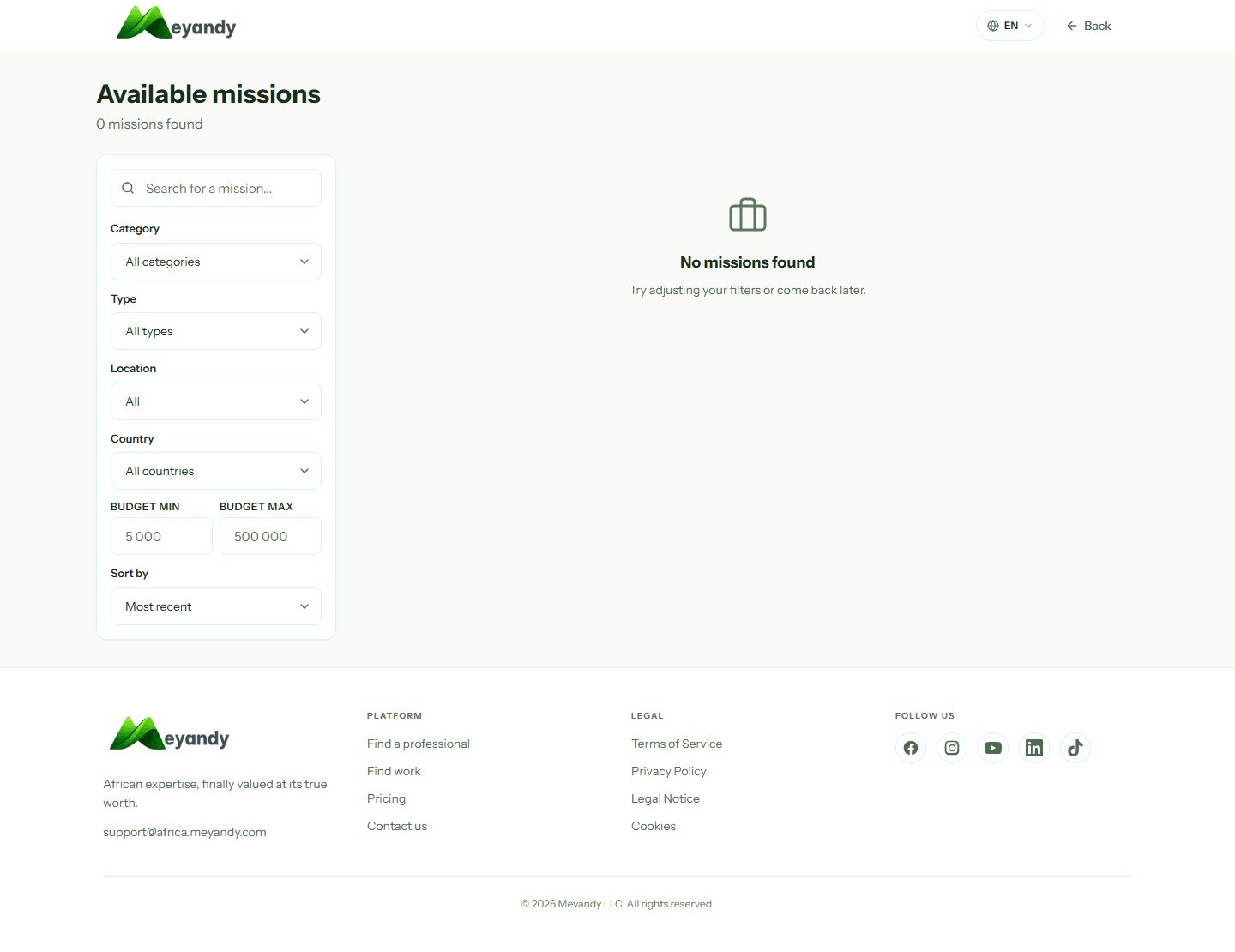
On /missions, use filters to narrow down:
- Category (Web dev, Design, Marketing, Copywriting, Video...)
- Type (Fixed price or Hourly)
- Location (On-site, Hybrid, Remote)
- Country and city
- Budget min / max
- Sort: Recent, Budget descending, Urgent
The counter at the top of the list shows how many missions match.
Before applying, check:
- The budget (min-max range) and payment mode (fixed or hourly)
- The deadline and estimated duration
- The required skills (tags)
- The recruiter's reputation (missions published, completion rate, average rating)
A serious mission has a clear title, 3+ paragraphs of description, and a market-aligned budget.
Click Apply. Your proposal must contain:
- A cover letter (max 500 characters) showing you read the mission: mention a specific need and propose an approach
- A proposed budget (fixed) or hourly rate — don't underbid but stay within the recruiter's range
- An estimated delivery date
- Links to similar work (portfolio, Behance, GitHub)
Short, precise proposals convert 3× better than copy-paste.
After submission, your proposal appears in Dashboard → My applications. Possible statuses:
- Pending: recruiter hasn't opened it yet
- Viewed: they've seen it
- Shortlisted: you're pre-selected
- Accepted: congrats, mission assigned
- Rejected: move on to the next
You get a notification + email on every status change.
Once shortlisted or accepted, an encrypted chat channel opens. Use it to clarify the brief, ask questions, and send deliverables.
Golden rule: NEVER share contact details off-platform (WhatsApp, email) before signing and receiving an escrow payment. Meyandy cannot protect you if you deal outside.
Pro tip: enable WhatsApp notifications in settings to be alerted in real time about new missions in your favorite categories.
Was this article helpful?
Related articles
Couldn't find your answer? Our team replies within 24 business hours.
Contact support